
The 1PPP Game registration process lets new users create a mobile account using a phone number and password. The platform may also request OTP verification to confirm ownership of the entered number.
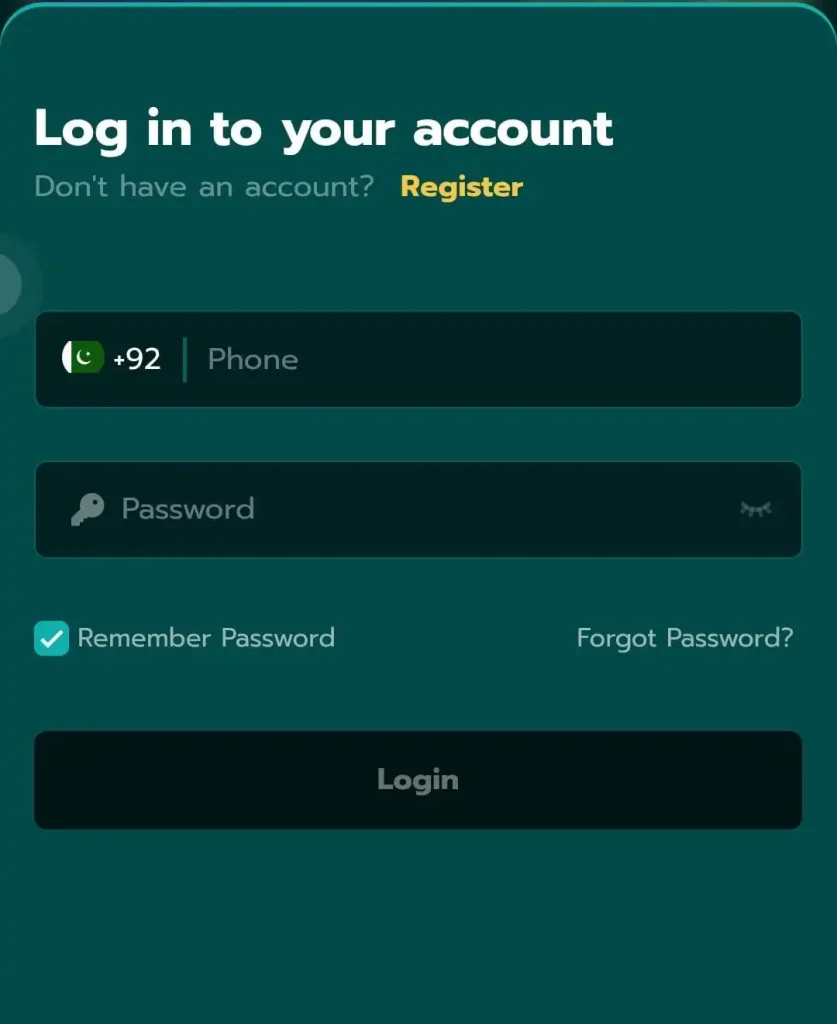
Registration may remain free, but activities inside the account can involve real money and financial risk. Create an account only if you meet the legal age requirement and understand the platform’s rules.
REGISTER ON 1PPP GAME
1pppgameapp.pk is an independent information website. We do not create accounts or operate the 1PPP Game platform.
What You Need Before Registration?
Prepare the following:
- An active mobile number
- Access to incoming SMS messages
- A strong and unique password
- A stable internet connection
- A compatible Android device or web browser
- A referral code, if you genuinely want to use one
- Legal permission to access real-money games in your location
Use your own phone number. A number belonging to another person can create password recovery and verification problems later.
How to Register on 1PPP Game
Follow these steps:
- Open the installed 1PPP Game app or available web platform.
- Tap Register, Sign Up, or Create Account.
- Enter your active mobile number.
- Create a strong password.
- Confirm the password.
- Enter a referral code if you have a valid one.
- Read the platform terms and privacy information.
- Tap Register or Submit.
- Wait for the OTP verification code.
- Enter the code yourself.
- Complete registration and open your account dashboard.
Do not share the OTP with a promoter, agent, support worker, friend, or stranger.
Create a Strong Password
Your password should:
- Contain at least eight characters
- Use uppercase and lowercase letters
- Include numbers
- Avoid your name or phone number
- Differ from your email password
- Differ from your JazzCash or Easypaisa credentials
Save it in a trusted password manager if you often forget passwords.
How OTP Verification Works
OTP means one-time password. The platform may send this temporary code to your registered phone number.
Enter the code only inside the verified registration screen. A genuine verification process should not require you to send the OTP to another person.
If the OTP does not arrive:
- Confirm that you entered the correct number.
- Check your mobile signal.
- Wait briefly before requesting another code.
- Avoid requesting several codes together.
- Restart the app if the screen stops responding.
- Contact official in-app support if the problem continues.
Should You Enter a Referral Code?
The registration form may include an optional referral field. Current platform information suggests that users may not be able to add the code after registration.
Before using a code:
- Confirm who provided it.
- Read the referral conditions.
- Check whether it changes your welcome offer.
- Avoid anyone promising guaranteed earnings.
- Never pay someone for a referral code.
A referral code cannot remove financial risk or guarantee a reward.
What to Do After Creating Your Account?
Once registration finishes:
- Confirm your mobile number.
- Review your profile information.
- Check the available language setting.
- Read the game rules.
- Review the privacy and security options.
- Check bonus terms before claiming anything.
- Explore demo options before using real money.
- Avoid making an immediate large deposit.
- Save official support information.
Do not link a payment account until you understand how the wallet and withdrawal conditions work.
Common Registration Problems
| Problem | Solution |
|---|---|
| Mobile number rejected | Check the number format and country code |
| OTP not received | Wait briefly, confirm signal and request one new code |
| Password rejected | Use letters, numbers and the required length |
| Number already registered | Use Login or Forgot Password instead |
| Referral code rejected | Confirm the code before completing registration |
| Register button does nothing | Check the internet and restart the app |
| Page keeps loading | Clear cache or use a different secure connection |
| Account becomes restricted | Contact verified in-app support |
Registration Safety Tips
- Register through a verified app or platform page.
- Use your own phone number.
- Never share your OTP.
- Never reuse a payment-account password.
- Avoid account sellers.
- Do not create several accounts to claim bonuses.
- Never provide unnecessary identity documents.
- Check the privacy policy before submitting information.
- Use real-money features only if you meet legal requirements.
Can You Register More Than One Account?
Platforms often restrict users to one account per phone number, device, or identity. Multiple accounts may lead to rejected promotions, account suspension, or withdrawal checks.
Use one account and keep its recovery information secure.
Frequently Asked Questions
Is 1PPP Game registration free?
Creating an account may remain free, but real-money games and wallet activities can require deposits.
Can I register without a mobile number?
The current process appears to require a mobile number for account access and possible OTP verification.
Can I add a referral code later?
Current platform information says the referral field may appear only during registration, so check before submitting.
Why have I not received my OTP?
An incorrect number, poor signal, repeated requests, or temporary platform delays can prevent OTP delivery.
Can I register on an iPhone?
You may be able to register through the browser version if the web platform remains available.
Does registration guarantee a welcome bonus?
No. Bonus availability and eligibility depend on the platform’s current terms and account requirements.
Final Words
The 1PPP Game registration process generally requires a mobile number, strong password, and possible OTP verification. Check every detail before submitting the form because incorrect account information can cause login and withdrawal problems later.
Never share your password or OTP. Registration does not guarantee income, bonuses, or successful withdrawals. Real-money games carry financial risk.
REGISTER ON 1PPP GAME